Custom rubber ducks print best from a clean vector logo, simplified to fit the curved chest or side of the duck, in solid colors that contrast with the duck body. Send Customized Rubber Ducks whatever file you have, and the team returns a free mockup within 24 hours showing exactly how your logo will sit on the duck before anything is produced.
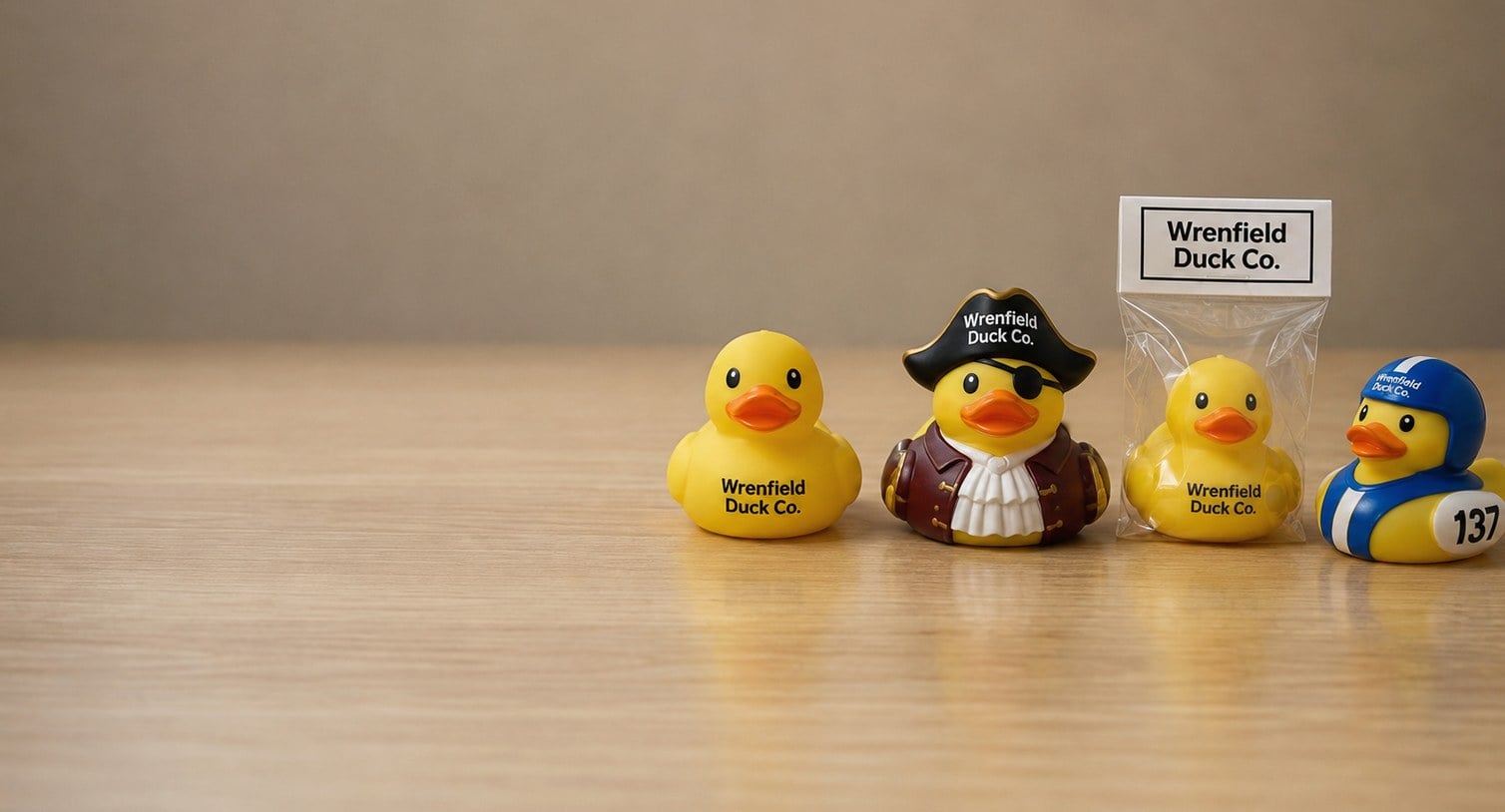
- Vector files (AI, EPS, PDF or SVG) give the sharpest print on rubber ducks
- The duck chest and side are curved, so simple, bold logos read best
- Solid ink colors that contrast with the duck body print cleanest
- Free mockup within 24 hours, with unlimited free revisions
- Pay nothing until you approve the design; minimum order is 12 for custom molded ducks and 100 for other styles
What file format should my logo be in for custom rubber ducks?
The best file for custom rubber ducks is a vector logo: an AI, EPS, SVG or vector PDF file exported from the program your designer used. Vector artwork is built from shapes rather than pixels, so it scales cleanly to the small print area on a duck without blurring or jagged edges. If you have a brand kit, the vector logo is usually the file labelled for print.
Plenty of buyers only have a PNG from a website or a JPG pulled from an email signature, and that is fine as a starting point. Customized Rubber Ducks reviews every file before the mockup and will tell you if a raster image is too soft to print sharply on vinyl. Low-resolution logos tend to show fuzzy edges and muddy small text once they are printed onto a curved surface.
| File you have | How it prints on a duck | What to do |
|---|---|---|
| AI, EPS, SVG or vector PDF | Sharp edges, clean small text | Send as is, with fonts outlined |
| Large, crisp PNG with a transparent background | Usually good for simple logos | Send it and ask for a print check |
| Small JPG or a screenshot | Often blurry or boxy | Ask your designer for the original file |
| A photo of a printed item | Not usable directly | Request redrawing advice on your mockup |
Where does a logo fit on a rubber duck?
A logo on a classic rubber duck usually sits on the chest, on one side of the body or on the back, and each spot has a different shape and size. The chest is the most visible position when the duck faces forward on a desk or in a bath, so it is the default for most orders. The side gives a slightly wider, flatter area that suits horizontal wordmarks.
Every print area on a duck is curved, which matters more than buyers expect. A long, thin wordmark wraps around the body and can lose its ends from a straight-on view. A stacked or square logo sits inside the curve and stays readable from the front. If your brand has both versions, send both and let the mockup decide.
- Chest: best for icons, round badges and stacked logos.
- Side: best for horizontal wordmarks and short taglines.
- Back: useful for a website, event date wording or a sponsor mark.
- Head or hat: available on some themed and costume ducks for a small secondary mark.
Larger formats such as giant and display ducks offer more room, so fuller logos and longer messages become practical there.
How do colors print on custom rubber ducks?
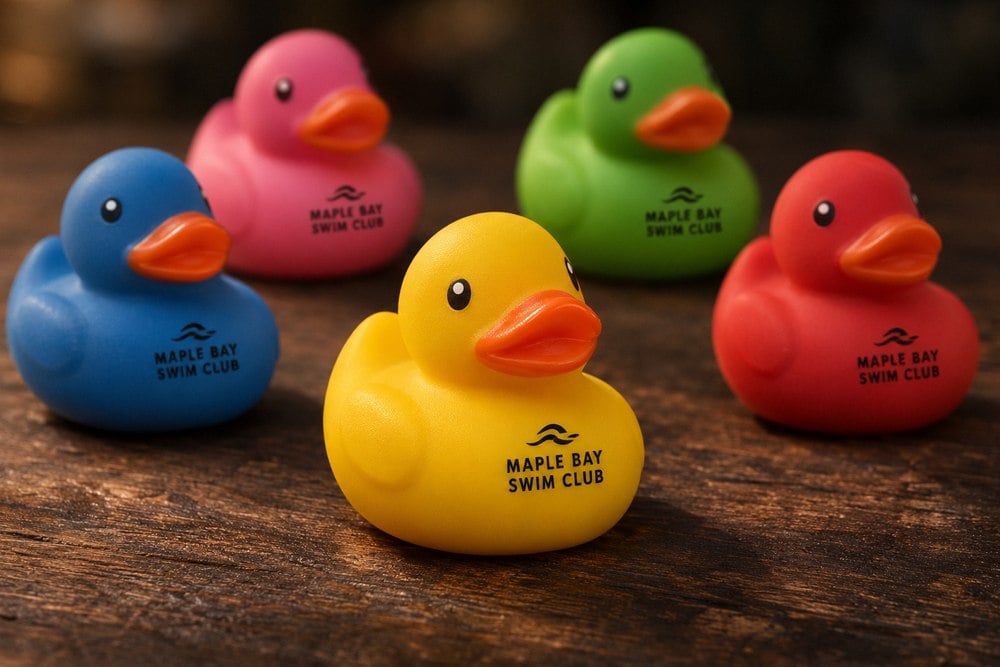
Colors on custom rubber ducks print best as solid, flat inks that contrast strongly with the duck body. A dark navy logo on a yellow duck reads instantly; a pale yellow logo on the same duck nearly disappears. Gradients, soft shadows and photo effects rarely survive the move from a screen to a small curved vinyl surface.
If your brand color is close to the duck color, you have a few options. You can switch to a reversed or one-color version of the logo, add a contrasting outline, or choose a different duck body color. Many classic styles come in colors beyond yellow, and custom molded ducks can be made in a body color picked for your brand.
Expect printed ink on vinyl to look slightly different from your logo on a backlit monitor. Screens glow; ducks reflect light. If you have official brand color references, include them with your artwork so Customized Rubber Ducks can match as closely as the material allows and note any limits on your mockup.
- Pick the logo version with the fewest colors and no gradients.
- Check it against the duck body color you want.
- Send your brand color references along with the file.
What artwork mistakes should I avoid on rubber ducks?
The most common artwork mistake on rubber ducks is sending a logo designed for a large banner and expecting every detail to survive on a palm-sized toy. Fine lines thin out, small text closes up and busy emblems turn into a blur. Simplifying before the mockup saves revision rounds and gives you a cleaner finished duck.
- Tiny text: taglines, legal lines and long web addresses become hard to read. Keep only the words that matter.
- Hairline strokes: very thin outlines can break up on a curved surface. Thicken them or drop them.
- White boxes: a JPG logo often carries a white rectangle behind it that prints as a visible patch. Use a transparent background.
- Low contrast: yellow, cream or pale logos vanish on a yellow duck.
- Live fonts: unoutlined fonts can swap to a default typeface. Outline text or send the font name.
- Wrong version: an outdated logo slips through more often than you would think. Confirm with whoever owns the brand.
None of these mistakes is fatal, because nothing prints until you approve. Customized Rubber Ducks flags issues like these on the mockup and suggests a fix.
How do I read the mockup before approving my custom rubber ducks?
A rubber duck mockup is a digital preview showing your logo placed on the exact duck style, color and print position you asked for. Customized Rubber Ducks sends it free within 24 hours, and you can request unlimited free revisions. Treat it as the final sign-off, because the approved mockup is what production follows.
Read the mockup the way a recipient will see the duck, not the way you see your logo on a big screen. Zoom out until the duck looks roughly life size and check whether the logo still reads.
- Spelling: check every word, including names, dates and web addresses.
- Placement: confirm the logo sits where you expect: chest, side or back.
- Size: make sure the logo is large enough to read from arm’s length.
- Colors: confirm ink colors and the duck body color.
- Style: confirm the duck style itself, such as a classic, themed or sealed duck.
- Quantity notes: if your order mixes designs, confirm each one has its own preview.
Ask for changes in plain words, such as “move the logo lower” or “make the text bolder”. You pay nothing until you approve the design.
Can I use different artwork on different ducks in one order?
Yes, many buyers split one order of custom rubber ducks across more than one design, such as separate logos for different departments, sponsor marks for a race, or names for a team. The minimum order is 12 units for custom molded ducks and 100 for other styles, and Customized Rubber Ducks will tell you on the quote how any split affects setup and pricing.
Plan mixed artwork carefully. Send each design as its own clearly named file and list how many ducks each design needs. If designs share a layout and only a name or date changes, say so, because a shared template keeps the set consistent.
Mixed designs work especially well for duck race and fundraising ducks, where sponsors each want a mark, and for trade show and conference booths, where several product lines share one giveaway.
When should a logo become a custom molded duck instead of a print?
A logo should become a custom molded duck when the brand is a shape or a character rather than a flat mark: a mascot, a hat, a uniform or an outfit that a print alone cannot show. Printing places artwork on a stock duck; molding changes the duck itself.
For molded ducks, the artwork you send looks different. Instead of a single logo file, provide front and side references of the character, the colors of each part and any accessories. Customized Rubber Ducks turns those references into a design preview before production starts. A printed logo can still be added to a molded duck for a finishing touch.
If you are weighing the two routes, read the comparison of custom molded vs printed stock rubber ducks, or start with classic printed rubber ducks if a flat logo tells your story well.
What should I send with my artwork to get the quote moving?
Along with your logo file, send the details that let Customized Rubber Ducks build an accurate mockup and quote in one pass. Missing details are the main reason a first proof needs a second round.
- The duck style you want, or the use, so the team can suggest one.
- The duck body color and ink colors, with any brand color references.
- The print positions: chest, side, back or more than one.
- Your quantity, starting from a minimum of 12 for custom molded ducks or 12 for other styles.
- The date the ducks need to arrive, since standard turnaround is about 2 weeks and faster turnaround is available with express shipping.
- Any wording to add, typed out rather than embedded in an image.
Upload everything through the custom quote form, and see how it works for the full path from file to finished ducks.
Frequently asked questions
Can I send a logo pulled from my website for custom rubber ducks?
Custom rubber ducks can be quoted from a website logo, but those files are often small PNGs or JPGs meant for screens. Customized Rubber Ducks will check whether the image is sharp enough to print on vinyl. If it looks soft, you will be asked for the original vector file from your designer or brand kit before production begins.
Should text on rubber ducks be outlined before I send the file?
Rubber ducks artwork should have text converted to outlines, or the font name included, so the lettering prints exactly as designed. Live fonts can swap to a default typeface when the file opens on another computer. Outlining locks the shapes in place and removes any chance of the wrong font appearing on your mockup or finished ducks.
How small can text be on a printed rubber duck?
Text on a printed rubber duck needs to stay large and bold, because the print area is small and curved. Short words such as a brand name or event title read well, while long taglines and legal lines tend to close up. Customized Rubber Ducks shows the real text size on your mockup so you can judge readability before approving.
Can rubber ducks be printed with a full-color photo?
Rubber ducks are best printed with solid, flat colors rather than full photographs. Fine photographic detail and soft shading usually lose clarity on a small curved vinyl surface. If a photo matters to your design, ask Customized Rubber Ducks to show it on the mockup, and consider a simplified illustration version that will print with more contrast.
Does my brand color need to match the duck body color?
Rubber ducks look strongest when the logo color contrasts with the duck body rather than matching it. A logo printed in the same shade as the duck tends to disappear. Pick a contrasting ink, a reversed logo version or a different body color, and Customized Rubber Ducks will show the combination on your free mockup within 24 hours.
Can I print on both sides of a rubber duck?
Rubber ducks can usually carry artwork in more than one position, such as the chest and the back, or both sides of the body. Each extra position is noted on your quote and shown on the mockup so you can see the whole duck. Keep the secondary position simple, such as a website or short message, so the main logo stays the focus.
What happens if my rubber duck artwork has a white background box?
Rubber ducks artwork with a white box behind the logo can print that box as a visible patch on the duck body. The fix is a file with a transparent background or a vector logo. Customized Rubber Ducks spots these boxes during the artwork check and will flag them on the mockup so nothing unexpected reaches production.
Should rubber duck artwork include a website address?
Rubber duck artwork can include a website address, but keep it short and place it on the back or side rather than crowding the main logo. Long addresses with subpages shrink into unreadable text on a small curved surface. Customized Rubber Ducks shows the address at true size on the mockup, so you can confirm it reads before approving.
Should I send a horizontal or stacked logo for rubber ducks?
Rubber ducks usually suit a stacked or square logo on the chest, because the curved surface narrows quickly at the edges. A horizontal wordmark can work on the side of the duck where the area is wider. If you have both versions, send both to Customized Rubber Ducks and compare them on the mockup.
Who should approve the artwork for a company rubber duck order?
Rubber duck artwork should be approved by whoever owns the brand guidelines, such as a marketing lead or designer, not only by the person placing the order. That person can confirm the logo version, colors and wording are current. Customized Rubber Ducks can send the mockup to a colleague for sign-off so the right person approves it.
Can sponsor logos from other companies go on my rubber ducks?
Rubber ducks can carry sponsor logos alongside your own, which is common for races, fundraisers and events. Collect each sponsor's vector logo early, since chasing files is a frequent cause of delays. Confirm each sponsor is happy with how their mark appears, and Customized Rubber Ducks will show every logo placement on the mockup before production.
Do I need a designer to prepare artwork for custom rubber ducks?
Custom rubber ducks do not require you to hire a designer, because most buyers already have a usable logo file. Send what you have, and Customized Rubber Ducks will review it, suggest any simplification and show the result on a free mockup within 24 hours. A designer helps mainly when the only available logo is a low-quality image.
Get a free mockup for your rubber ducks
Send your logo or idea and the quantity you have in mind. Customized Rubber Ducks returns a free mockup within 24 hours, you approve the design before anything is produced, and standard turnaround is about two weeks with faster options available. Get a custom quote.